
← Back to articles · Coin Dealer information ·
Coinflation Melt Value vs Your Live Buy Board

Updated August 2026. Scrap and melt traffic is local and competitive. For Coinflation Melt Value vs Your Live Buy Board, SpotPro gives live spot, pay-% policy, and boards you can embed so ads and the window match.
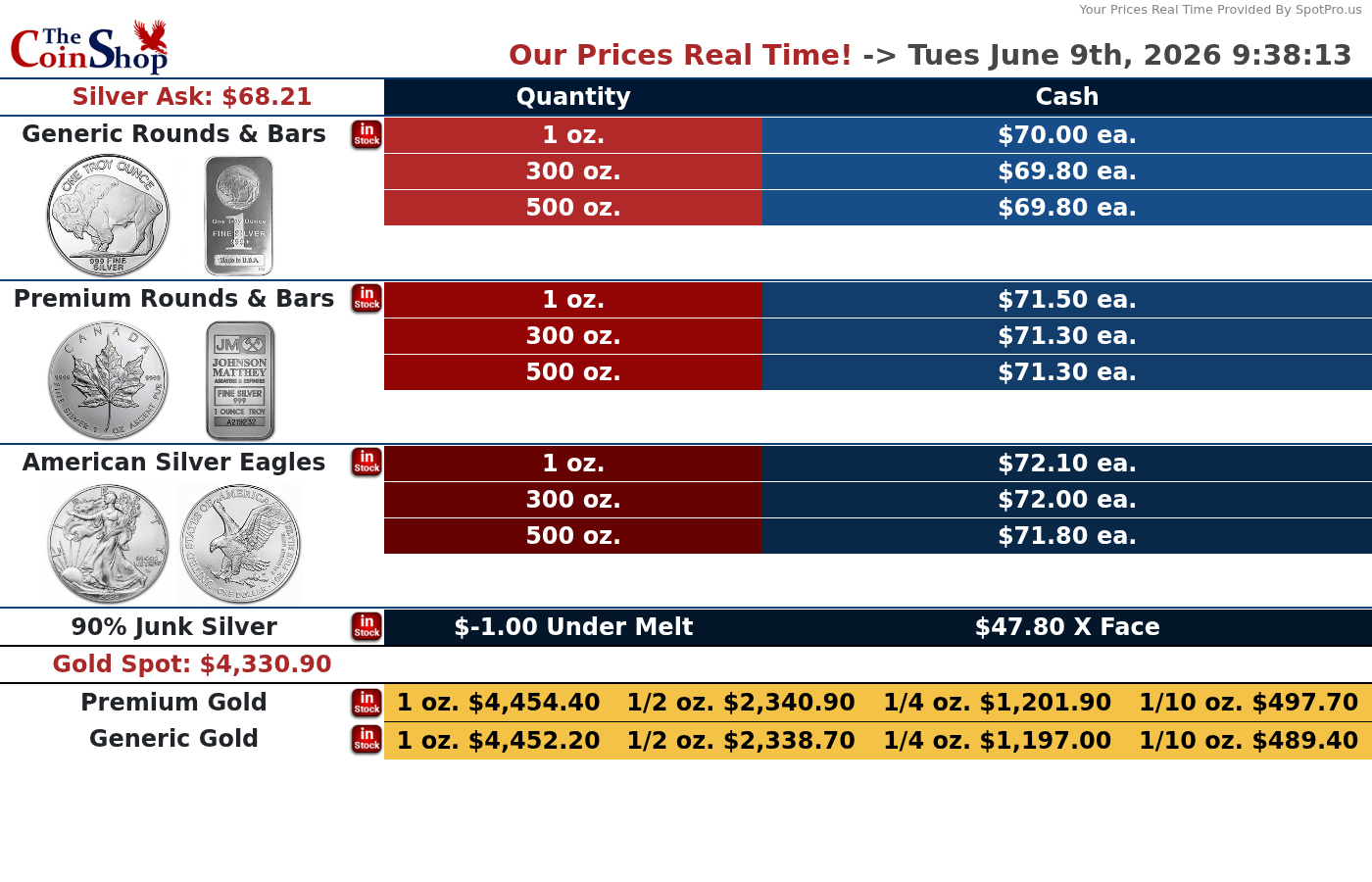
Scrap and melt buying
- Shop setup → Scrap buy %: set pay-% policy once; spot moves recalculate melt cash
- Live metal spots: primary Kitco text quotes, backup MetalpriceAPI
- Fullscreen scrap tables + Live Buy Sheet for the window and website
- Advertise honest spreads; land ads on a page that embeds the same board
Boards that match what you advertise
- Display Screen (sell board) for TVs and website embeds
- Live Buy Sheet so “we buy gold/silver” claims match the window, not a guess
- Scrap gold tables driven by pay-% policy — spot moves recalculate melt; staff do not re-open Config every tick
- Use board prices in ad copy and landing pages so paid clicks do not bounce on a mismatch
Buying desk workflow
- NumisNexus for structured purchases and customer linkage
- Purchase presets for common ASE, junk, and gold units
- Holds / waiting periods where your shop policy requires them
- After buy: label, inventory, optional ExtraCoins list + shopping feed when you resell
When you run local ads for scrap, land on a page that shows the same Live Buy Sheet you use in the window. Then keep resale inventory clean in ExtraCoins so Google/Bing shopping stays accurate.
What not to publish
- Do not ship keyword-only stubs with no workflow — they look thin and waste crawl budget
- Do not invent dealer counts, fake “highest prices,” or fees SpotPro does not charge
- Do not advertise items missing photos or paused in vacation mode
- Do not treat backlinks as a substitute for Merchant Center, GBP, and real inventory photos
Next steps
- Start a SpotPro trial (introductory pricing lock-in for life while continuously subscribed — cancel anytime; see spotpro.us for current offer)
- Turn on ExtraCoins Online Listings and copy the shopping feed for Google + Microsoft Merchant Center
- Align Company Profile NAP with Google Business Profile
- Read the related guides below — skip thin keyword pages that do not teach a real workflow
Related guides
- What is SpotPro?
- ExtraCoins storefront guide
- Google Shopping feed setup
- Bing ads + shopping feed for coin shops
- Merchant Center checklist
- Setup checklist for new dealers
- Articles index
Learn more at spotpro.us and extracoins.com. Product details always win over generic “marketing tips” pages — that is why this article shows the actual SpotPro paths.
How SpotPro helps with this topic
Dealers searching for Coinflation Melt Value vs Your Live Buy Board usually need three things at once: accurate counter pricing, a trustworthy buy desk, and an online presence that does not fight the POS. SpotPro is built as one system for that stack.
- POS + NumisNexus + inventory so the case and the website share one source of truth
- ExtraCoins storefront included — no SpotPro commission on list/sell
- Shopping feed for Google Merchant Center and Microsoft Merchant Center from the same URL
- Display Screen and Live Buy Sheet for honest public prices
- SMS (your Twilio), Shippo/Ship Desk, and web pickup for after the click