
← Back to articles · Coin Dealer information ·
SpotPro getting started: what to turn on in the first week
A practical first-week checklist for new SpotPro dealers: company profile, staff, POS config, NumisNexus, listings, and the shopping feed.
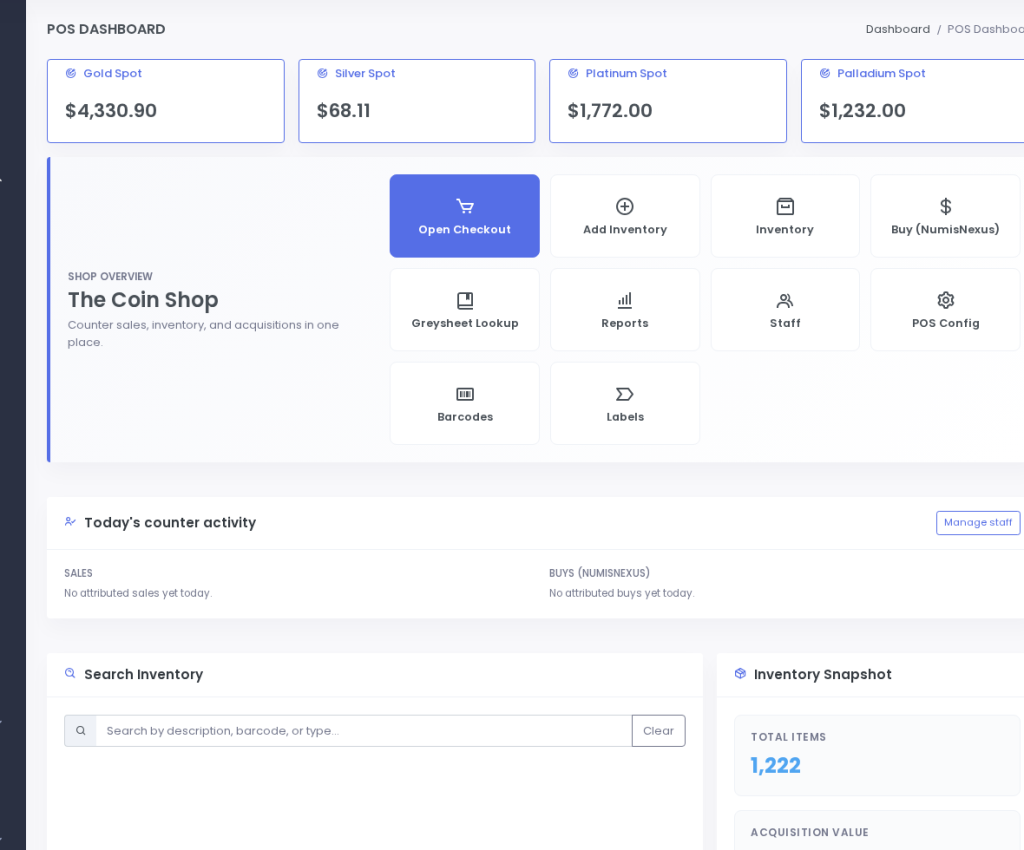
Updated August 2026. SpotPro is a full counter system — POS, buying desk, inventory, boards, ExtraCoins, and more. New dealers get lost when they try to “set everything” on day one. Use this order instead. It matches how shops actually go live without breaking the Saturday rush.
Before you invite the public
- Company Profile — legal-style public name, street address, phone, hours. This is the NAP source for receipts, Merchant Center, and Google Business Profile.
- Staff & PINs — every human gets their own PIN. No shared “counter” login. Disable accounts the day someone leaves.
- Sales Checkout smoke test — log a test sale and void under your policy so nobody freezes on the first live ticket.
Pricing plumbing (do this before advertising numbers)
Set bullion sell premiums and scrap pay percentages in configuration so spot can move without rewriting policy every hour. Scrap % is policy; melt cash recalculates when metal moves. Build purchase presets for common ASE, junk silver units, and gold coins you actually buy. Connect Greysheet if you use it — SpotPro does not bill per lookup; after the platform trial path you use your dealer keys.
Inventory, labels, boards
Enter the stock you sell first — not a fantasy catalog. Print case labels. Launch Display Screen (sell) and Live Buy Sheet on a lobby TV so public prices match the counter. If the board and the bid disagree, customers notice before you do.
ExtraCoins and shopping feeds
Turn on Online Listings for pieces you will sell or show. Use in-store-only when you want visibility without cart risk. Copy the shopping feed from Company Profile → ExtraCoins store (or Online Listings → Get found online). Paths: /shopping-feed and legacy /shopping-XML-feed.php. The same URL works for Google Merchant Center and Microsoft Merchant Center. Add local inventory feed when floor stock + GBP matter. Practice vacation mode before a long weekend.
Day-seven drill
Fake a rush: buy ticket in NumisNexus → label → list online → web order or pickup → ship or hand off. Fix whatever was slow. Then read sibling help pages on this site and docs.spotpro.us for screenshots. Public trial/pricing details live on spotpro.us (introductory lock-in language while continuously subscribed; cancel anytime as published there).
Next: NumisNexus staff guide · Shopping feed · Help hub.